GUI applications overview
Mercury DB (HgDB) 3.0 comes with several web applications that are used by people, not by programs: the home page of the server, the administration pages (loggers, Lucene queries, data secretaries, license), the panel of authentication administration and the registry of modules. This section describes them: what each application does, who may use it and how the applications work together.
Applications
All applications run in the same Tomcat as the server, so they share one address (for example https://host:31443 behind the load balancer of the Docker and Helm installations).
| Application | Address | What it is for |
|---|---|---|
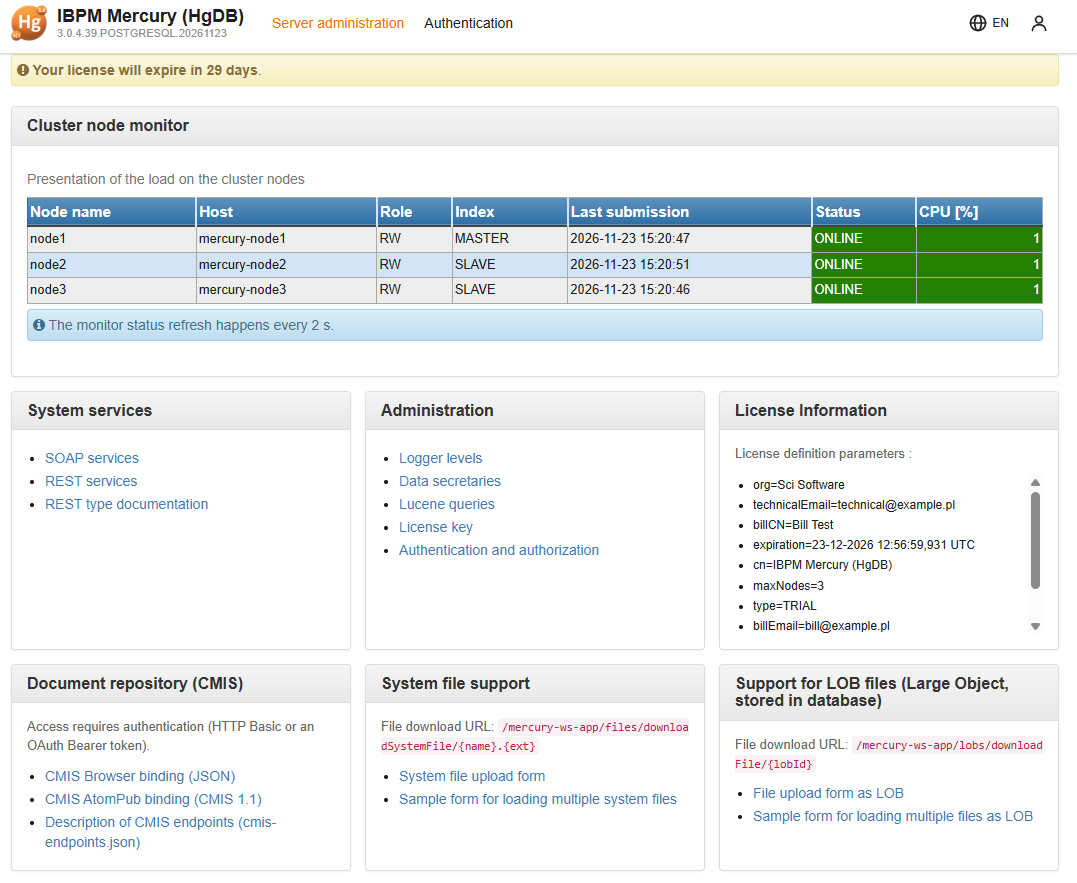
Server (mercury-ws-app) | /mercury-ws-app/ | The home page with the boxes: services (SOAP, REST and Swagger UI), administration, the license information, the CMIS repository, the system files and the LOB files; the monitor of the cluster nodes (state and load of every node) |
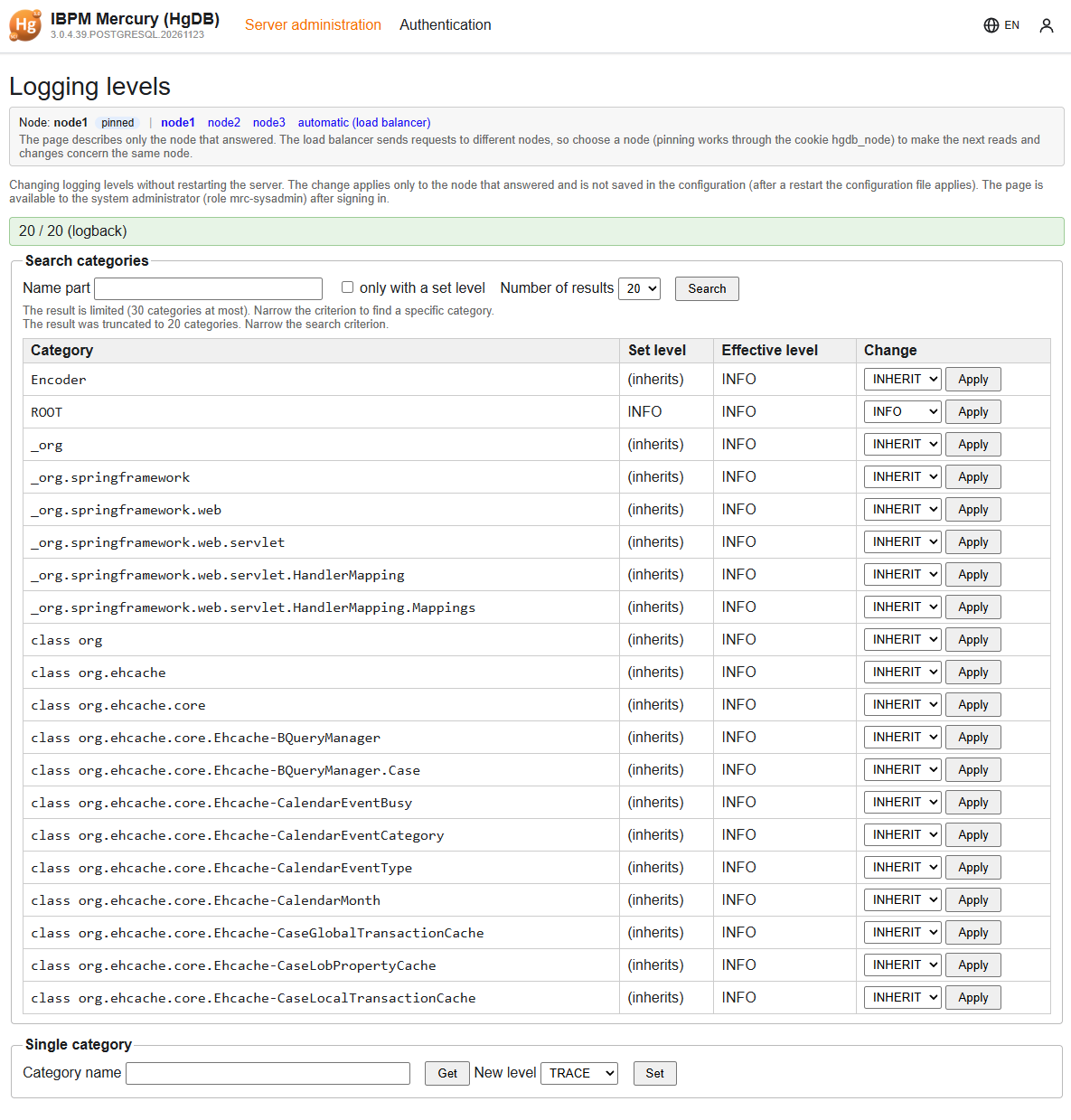
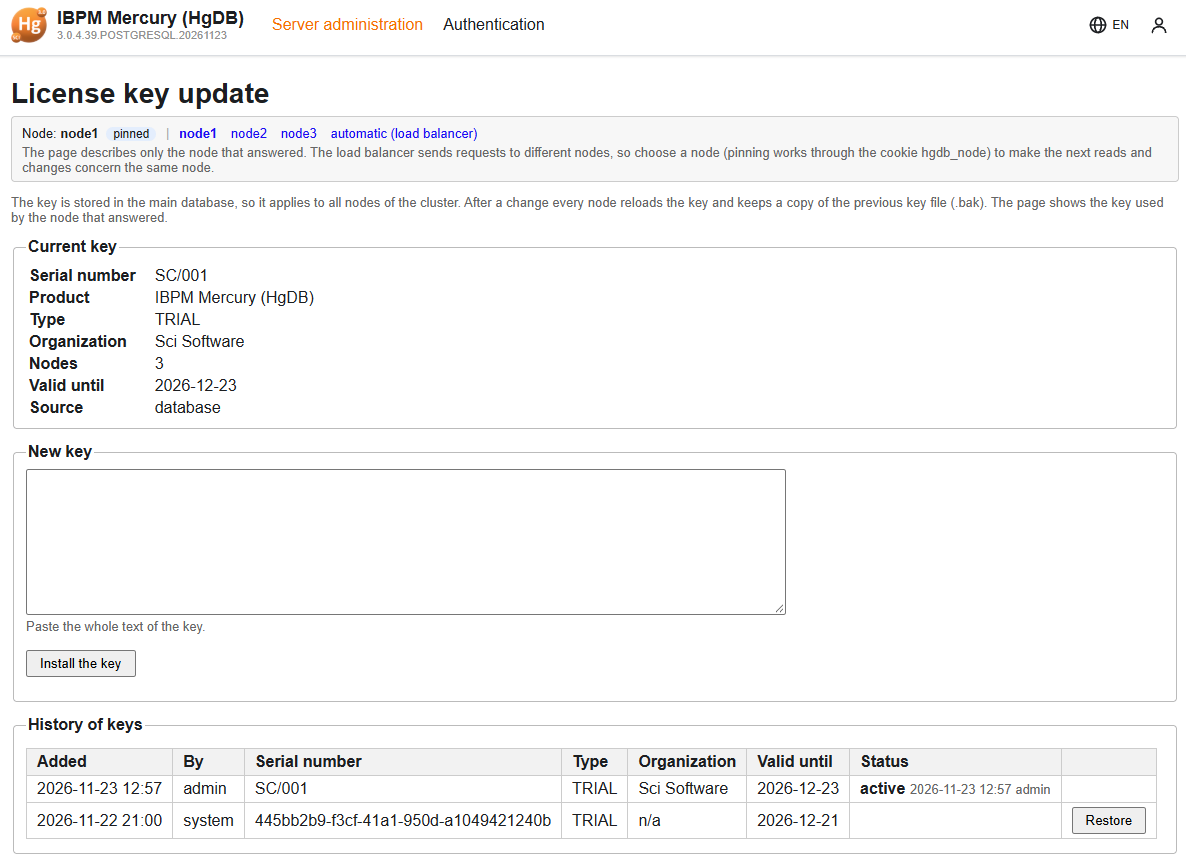
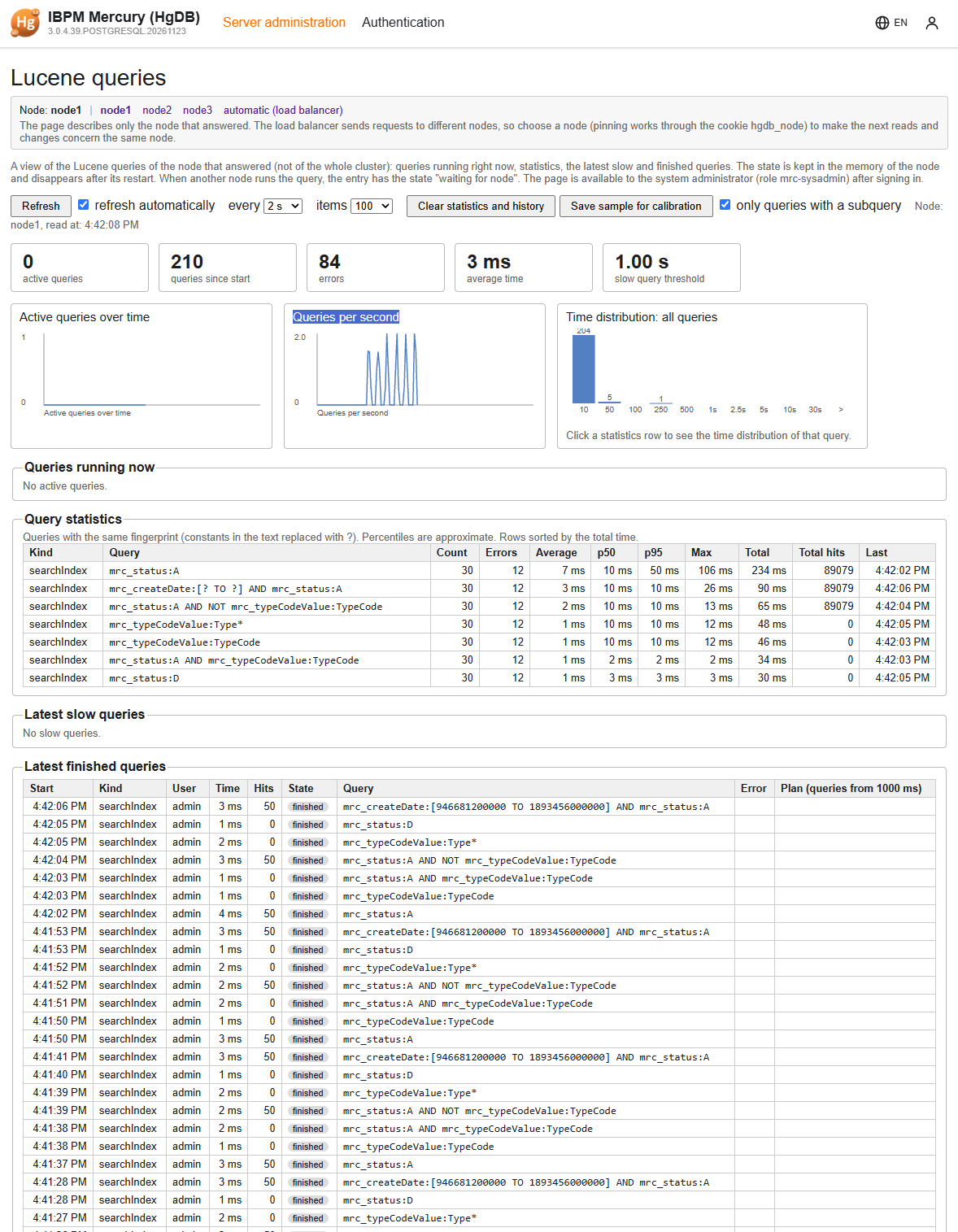
| Administration pages of the server | /mercury-ws-app/admin/... | Logger levels (loggers), Lucene queries (lucene-queries), data secretaries (secretaries) and the update of the license key of the server (license); the role mrc-sysadmin |
Authentication administration (mercury-gui-auth) | /mercury-gui-auth/ui/home | Local users, role mappings, a view of LDAP, OAuth clients and tokens, the license key of the panel: see Administration of users, roles and OAuth |
Registry of modules (mercury-gui-registry) | /mercury-gui-registry/registry/mercury-registry | The list of the modules registered in the server |
| Pages of the system files and LOB | /mercury-ws-app/files/..., /mercury-ws-app/lobs/... | Sample forms for uploading system, dictionary and POI files and files stored as LOB |
The home page of the whole server (/) shows a link to every installed application, so an application that is not installed has no link.
The home page of the server with the monitor of the nodes and the boxes:
Examples of the administration pages: changing logger levels and updating the license key of the server:
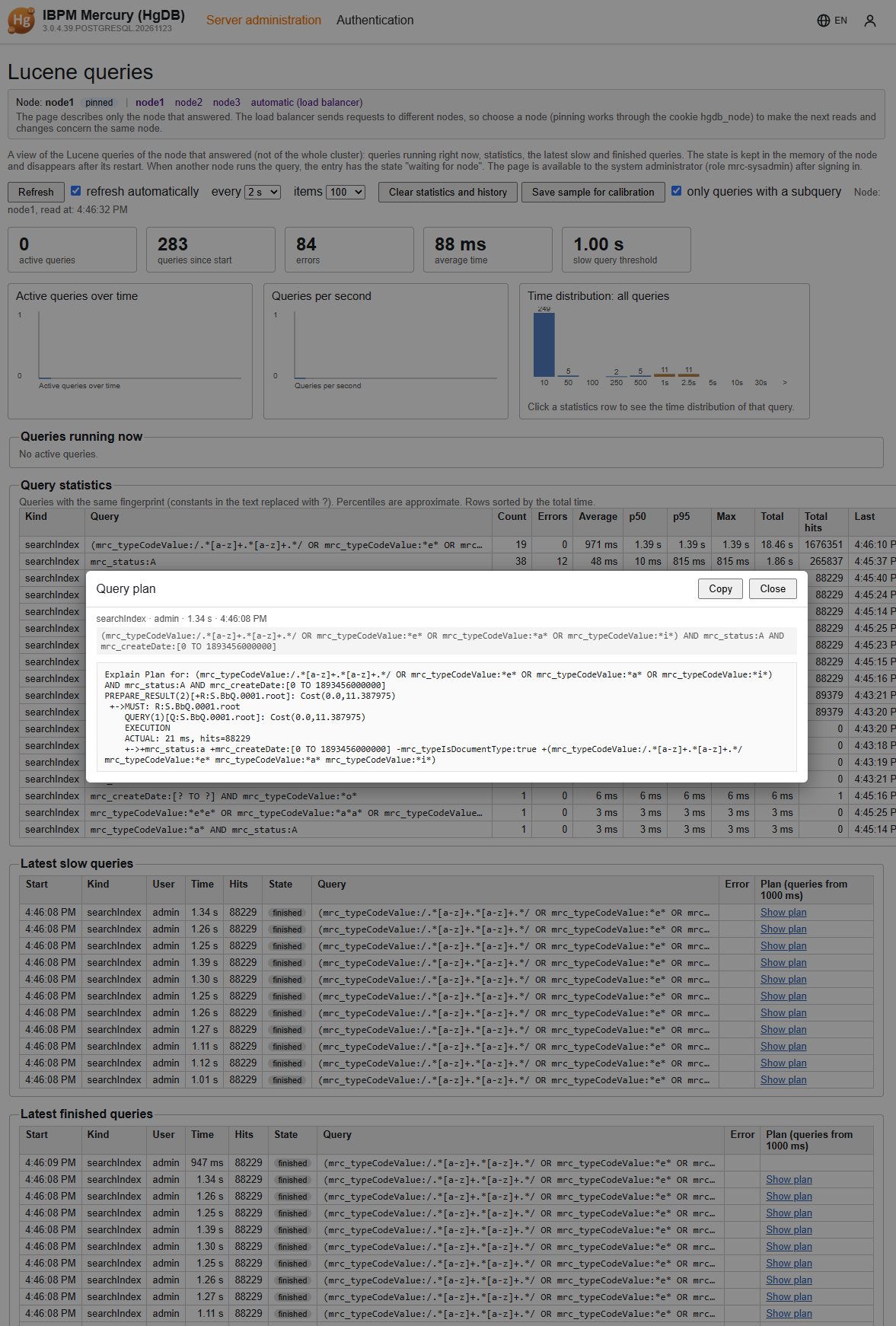
The monitor of the Lucene queries (charts, statistics, slow queries) and the plan of a slow query (see Lucene queries monitor):
What the applications have in common
- One sign-in (SSO): logging in to one application lets the user into the others, and logging out ends the session in all of them, also on other nodes of a cluster. When
mercury-gui-authis available, all the login pages use its form and bring the user back to the page he asked for. See Administration of users, roles and OAuth. - Roles. A user sees a link or a box only when his roles allow it, and the server checks the roles again on every request (a missing role gives
403). The roles aremrc-user,mrc-useradmin,mrc-groupadmin,mrc-serviceadminandmrc-sysadmin; the users and the role mappings are managed in the authentication panel, see also Integration with LDAP repository. - One presentation template.
mercury-ws-appandmercury-gui-authhave the same top bar (the logo and the name, the links between the applications, the language menu and the user menu with Sign in, Profile and Sign out) and the same footer. The home page, the sign-in pages and the profile have a limited width of 1080 px (good for a portrait Full HD screen), and the other pages use the whole width of the screen. - Languages. Polish, English, German, Spanish, French and Korean. The language is chosen in the top bar; the choice is kept in a cookie shared by the applications, so it is the same in all of them.
- Nodes of a cluster. The administration pages of the server describe the node that answered, not the whole cluster: choose the node in the bar of the page (the choice is kept in the cookie
hgdb_node), or add?n=<node>to the address. The pages of the authentication panel work on the shared database, so the node does not matter, except for the refresh of the OAuth configuration, which is done on every node one by one.
In this section
📄️ Authentication administration
The application mercury-gui-auth is a web panel for the data of authentication and authorization of Mercury DB (HgDB) 3.0: local users, role mappings, a read-only view of the LDAP directory, OAuth 2.0 clients and the license key of the panel itself. Until now these data were edited directly in the database. The panel is installed with the server (a WAR next to mercury-ws-app) and is available at /mercury-gui-auth/ui/home.
📄️ Data secretaries
A data secretary is a background thread of the server that processes the data stored in buffer tables in a panel in the browser and through a REST service.